
What Describes The Relationship Between Edge Computing And Cloud Computing?
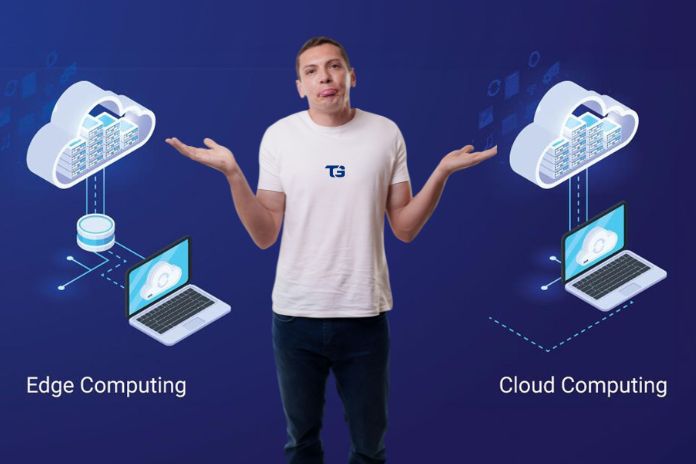
Edge and cloud computing work together as complementary parts of the same system. Cloud computing provides centralised storage of resources and data, as well as powerful processing capabilities, while edge computing handles tasks that require quick responses by processing data closer to where it is generated.
This could be a device, a local server or at a nearby facility. Once the time-sensitive processing is done, only the relevant information needs to be sent back to the cloud. Most modern systems, from smart factories to streaming apps, use both at once. This article explains what each one does, how they connect, and how to decide which tasks belong where.
What Is Cloud Computing?
Cloud computing means running applications and storing data on remote servers managed by third-party providers such as Amazon Web Services, Microsoft Azure, or Google Cloud. Instead of hosting on local physical devices, you access these computing resources over the internet.
What Cloud Computing Is Best Suited For
- Centralised storage: Cloud platforms provide a central space to store large amounts of data and resources, which can be accessed via the internet from different locations and devices.
- Heavy computing power: Heavy computing power is often required for tasks such as training machine learning models, running large databases, and performing complex analytics, which exceed the processing capabilities of local hardware.
- Scalability: You can increase or reduce cloud resources as needed without having to purchase and maintain additional hardware. Many Organisations move to the cloud to save money and simplify their operations.
- Centralised management: You can manage system updates, security patches, monitoring and system maintenance from a central location rather than across thousands of individual devices.
Cloud Computing Trade-Offs
The main trade-off is distance. Data travels from the device where it is generated to a remote data centre and back again. Depending upon the distance and the network involved, this round trip can add anywhere from a few milliseconds to hundreds of milliseconds of delay. For day-to-day applications, that delay is barely noticeable. But for applications that demand real-time responses, even a small amount of latency can make a significant difference.
What Is Edge Computing?
‘Edge computing’ means processing data close to where it is generated, rather than sending it to a distant remote centre and back again. This processing can happen directly on a local site or server, on a physical device within the same building or at a nearby facility in the region. By keeping processing data closer to the source, edge computing reduces latency and increases the response time of the applications.
What Edge Computing Is Best Suited For
- Low Latency: Because data need not necessarily travel through long distances from the data centre and back again, edge computing can enable responses within milliseconds. This is important for real-time applications such as factory robots that need to react immediately to changes.
- Unreliable or limited connectivity: Edge computing continues to process data locally even when an internet connection is slow, unstable and unavailable. This capability can be useful in remote locations. especially ships or farms.
- Reducing bandwidth usage: Instead of sending huge amounts of data to the cloud, edge devices can process information locally and send only the results that matter. For example, security cameras can analyse the video locally and transmit footage or alerts associated with the detected events.
- Keeping sensitive data local: Edge computing enables organisations to process and store sensitive information on-site, helping them meet privacy, security and regulatory requirements.
Edge Computing Trade-Offs
The trade-off is scale. Edge devices generally have far less processing power than a cloud data centre, and managing software across thousands of scattered devices is more difficult than managing a single centralised environment.
How Edge And Cloud Computing Work Together
Edge and cloud computing aren’t competing architectures; they’re two ends of the same pipeline. A useful way to picture it: the edge decides what to act on right now, and the cloud decides what to learn from over time.
How Data Moves From Edge to Cloud
- A device or sensor generates raw data: A device or sensor generates raw data (a camera captures video, and a sensor logs a reading).
- The edge processes the data immediately: The edge processes it right away, filtering, compressing, or analysing it on the spot instead of shipping everything to the cloud.
- Relevant results travel to the cloud: Only the relevant results, not the full raw stream, travel to the cloud.
- The cloud aggregates data from multiple locations: The cloud aggregates data from many edge locations, giving a company-wide or system-wide view instead of just one device’s view.
- The cloud sends updated instructions back: The cloud can send updated instructions back down, for example, an improved detection model retrained on combined data from thousands of devices.
Why Are Edge and Cloud Computing Complementary?
This loop, local action, centralised learning, and updated local action are why the two reinforce each other rather than compete. A system that ran everything in the cloud would suffer from lag on time-sensitive decisions and incur high bandwidth costs. A system that ran everything at the edge would have no way to see trends across locations or improve its models using outside data.
Edge vs Cloud Computing: Key Difference
| Factor | Edge Computing | Cloud Computing |
| Where processing happens | Near the data source | Centralized, often distant data centers |
| Typical latency | Milliseconds | Tens to hundreds of milliseconds |
| Processing power | Limited, per device or node | High, scalable on demand |
| Best for | Time-sensitive decisions, offline resilience, raw-data-heavy tasks | Large-scale storage, heavy computation, cross-location analysis |
| Connectivity needed | Can work with intermittent or no internet | Requires a stable connection |
| Management | Harder, many distributed devices | Easier, centralized |
When To Use Edge Computing vs Cloud Computing
When to Use Edge Computing
Lean toward edge computing when:
- Safety depends on a fast response: If even a fraction-of-a-second delay could cause a safety risk, edge computing can process information at a much faster speed locally and respond immediately. Examples include autonomous vehicles, medical monitoring systems and industrial automation.
- Internet connectivity is unreliable: Edge computing is more functional in cases where internet access is limited, unstable and unavailable because systems operate locally.
- Large amounts of raw data are generated: When the devices generate large amounts of data, sending everything to the cloud can be slow and costs more bandwidth. Processing data at the edge and sending only relevant data significantly reduces network traffic.
- Data needs to remain on-site: If sensitive information cannot legally leave a site, edge computing can process and store it locally while still sending the necessary information to the centralised systems.
When to Use Cloud Computing
Lean toward cloud computing when:
- More computing power or storage required: Cloud platforms are a better option when a workload needs more processing power, storage and memory than local hardware can reasonably provide. This helps many companies reduce their costs and streamline their network operations.
- Data comes from multiple locations: Cloud computing makes it easier to collect, combine and analyse data from multiple devices, sites or locations in a single centralised environment.
- The workload isn’t time critical: Cloud computing works well where reasonable delay is acceptable, as data travels long distances from where it is generated to the remote data centre and back. Examples include batch processing, long-term data storage, and historical reporting.
- Centralised management is important: A cloud-based environment offers organisations the ability to manage systems, security controls, operations and updates from a central location.
Frequently Asked Questions About Edge and Cloud Computing
1. Does Edge Computing Replace the Cloud?
No, edge computing complements the cloud rather than replacing it. Edge computing is designed for processing data quickly from a local site when latency is important, while the cloud provides much greater storage and accessibility.
In most systems, both work together. Edge handles immediate, time-sensitive tasks, while the cloud runs resource-intensive workloads and stores information for the long term.
2. Is Edge Computing More Secure Than Cloud Computing?
Not necessarily. Both the edge and cloud architectures have their advantages and challenges. Edge computing is not automatically more secure than cloud computing. As data is kept close to where it is generated, it can reduce some risk associated with transmitting data over long distances. But it also increases the number of devices and locations that need protection.
Ultimately, security depends on certain factors like how the system is designed, monitored, configured and maintained. The specific requirements and risks in the environment should guide the choice.
3. Do Small Businesses Need Edge Computing?
Usually not, unless the business runs something time-sensitive or connectivity-limited, like on-site industrial equipment or real-time video analysis. Most small businesses find cloud computing sufficient, as they can also save costs that are required for hardware.
Also Read: GU iCloud: A Cloud-Based Management System For Digital Education
