
Two-Factor Authentication (2FA): Types, Benefits, and Best Practices
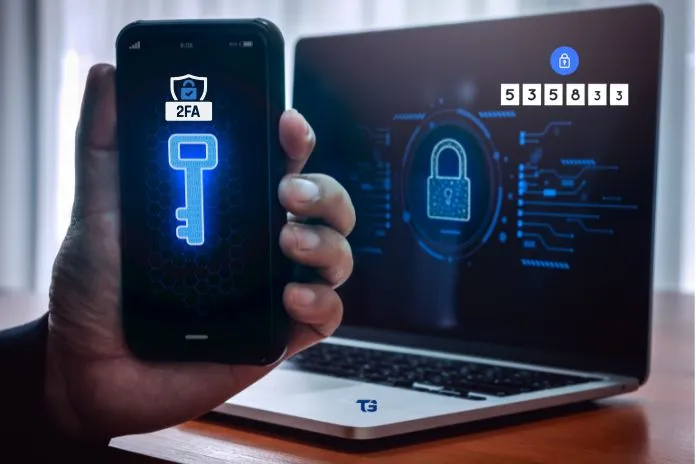
You also want to keep your data secure online. Besides strong passwords, two-factor authentication (2FA) can be particularly helpful. In this article, you’ll learn what it is and how to set it up.
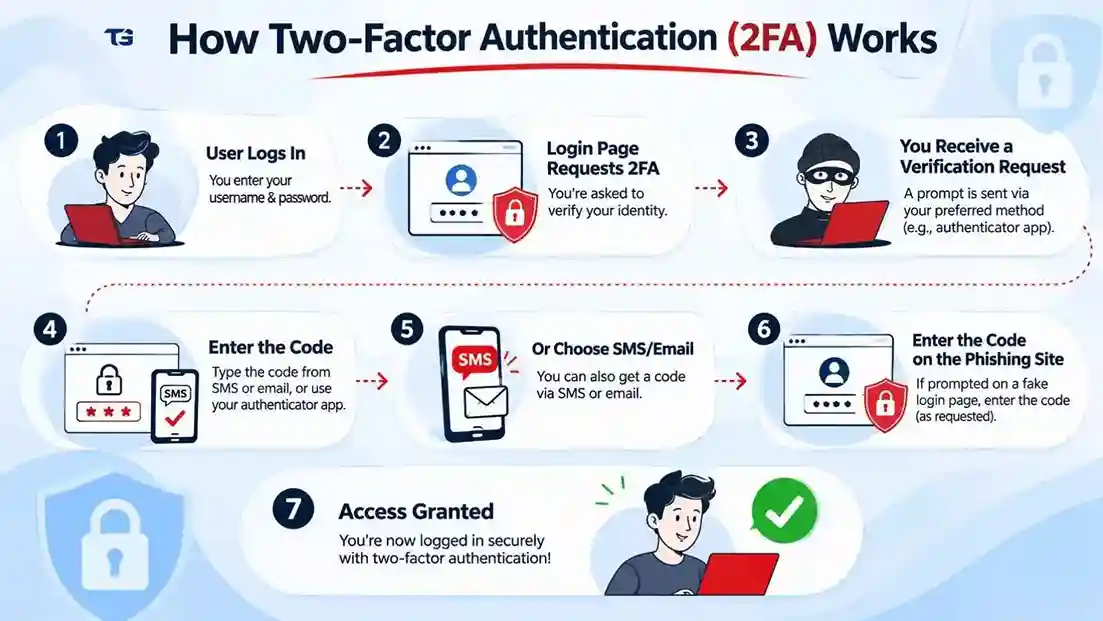
After entering your login details, you will receive a confirmation code via SMS or email. If you receive a confirmation code, it indicates that you have logged in using two-factor authentication (2FA). This method is already used in several areas, such as online banking and email services, payment services, social media, etc. However, many people are less aware that other, more secure methods of two-factor authentication exist. These can significantly help users to protect their personal data.
What Is Two-Factor Authentication (2FA) and How Does It Work?
If your password and username are compromised, someone else can easily access your online accounts. To prevent such breaches, there’s a feature called two-factor authentication. This means that in addition to your usual login credentials, you need a second factor to log in.
This second factor can be, for example, a confirmation code sent via email or SMS or a time-based one-time password generated by an authenticator app. An alternative to SMS-based verification codes are code generators in the form of smartphone apps, which can be used, for instance, if you don’t want to entrust a provider with your mobile phone number. Biometric methods are also very common now, such as facial or fingerprint scans via smartphone.
In some cases, so-called hardware tokens are also used. These are small, separate devices with a security chip, usually in the form of a USB stick or a plastic card. However, not every online service offers all of these options.
Two-factor authentication requires two different authentication factors to verify your identity during login. Even if someone else gets hold of your password, your account remains protected because they don’t also have the required second factor.
When Is Two-Factor Authentication Mandatory?
Two-factor authentication is required for many online banking services, depending on the country and applicable regulations. Therefore, it is particularly well-known and used in many regions.
Protecting your other online accounts with two-factor authentication is crucial. Your email account is a particularly important place to start, since it’s often the key to getting into your other accounts. If someone with malicious intentions gets into your email, they could change your other account passwords and lock you out. Therefore, securing your email account with two-factor authentication should be a priority.
Social media accounts are similarly sensitive to email addresses, as perpetrators can quickly spread misinformation on behalf of the victim using these platforms.
How Long Does It Take to Log In with 2FA?
Protecting your accounts with a secure login method helps prevent unauthorized access to your personal data. Setting up two-factor authentication usually doesn’t take long. Once configured, it only adds a few seconds to the login process—and the more regularly you use it, the easier it becomes to use.
How Do I Set Up Two-Factor Authentication?
Setting up two-factor authentication depends on the application. Services typically ask if you want to set up 2FA during the registration process. Some services even require it.
If you want to activate 2FA later, you’ll often find the option in your user settings. If you can’t find it, don’t hesitate to contact customer service, as they sometimes hide the activation option. Currently, not all portals offer this login method, but its availability is gradually increasing.
Which Accounts Should You Secure with Two-Factor Authentication?
Two-factor authentication is generally particularly useful when the account or portal stores personal and especially sensitive data. This includes online banking, for which 2FA is already mandatory, but also payment services that offer the procedure as an option. Examples include PayPal and Klarna.
Email accounts and social media profiles also need strong protection. This is because, in addition to what has already been mentioned, emails and other private messages often contain very personal details. This information should not be accessible to criminals.
What Are the Different Methods of Two-Factor Authentication?
| 2FA Method | How It Works | Example |
| SMS authentication | Sends you a verification code to your registered mobile number. | SMS OTP |
| Email authentication | Sends you a verification code to your registered email address. | Email verification code |
| Authenticator apps | Generates time-based one-time verification codes. | Google Authenticator, Microsoft Authenticator |
| Biometric authentication | Verifies your identity using physical characteristics | Fingerprint or facial recognition |
| Hardware security keys | Uses a physical security device to verify your identity. | USB security key |
Software-Based Methods for Two-Factor Authentication
During registration, you will need to enter another code—for example, a time-based one-time password (TOTP). This password is valid only for a limited time and is regenerated each time you log in. Ideally, this one-time password is generated by software installed on a separate device. Banking apps often use this type of software-based method.
This technique is typically used in so-called authentication apps, such as Microsoft or Google Authenticator.
Important: Authenticator apps are often linked to the devices on which they were initially set up. Depending on the authentication app and its backup or synchronization features, your 2FA accounts may not automatically transfer to a new device. Before switching devices, you should either transfer your authenticator accounts or set up the new device while you still have access to your existing authenticator. Also, save your backup codes securely in case you lose access to your original device.
Hardware-Based Methods for Two-Factor Authentication
You use a token to log in. This can be a chip card that you use with a card reader, or a token that resembles a USB stick and is connected to your device via the USB port.
Hardware security tokens vary in price depending on their type, features, and manufacturer. Small security keys that can be attached to a keychain, which makes it easier for you to carry. You should also set up a backup recovery method in case you lose your security key.
Recommendations and Best Practices for Two-Factor Authentication
Enabling two-factor authentication wherever available adds an extra layer of security to your online accounts. In addition, please note the following:
- Pay special attention to protecting your email accounts and social media profiles.
- Use a secure procedure to restore your account or usage data—also known as “recovery.”
- If possible, avoid using SMS-based verification codes or email as a second factor. Set up a more secure method.
- However, it’s worth noting that even two-factor authentication methods using SMS-based verification codes and email are more secure than a single-factor login.
- For a proper two-factor authentication process, use multiple devices: e.g., the TAN app on a different device than the banking application.
- When using biometric authentication, follow the security recommendations provided by each service.
- Don’t be afraid to use a method that is unfamiliar to you. If you use the method regularly, you will quickly become accustomed to it.
- Some authentication methods may become more widely available as online services expand their security options.
- If you are using a newer method, you can provide feedback to online services to help improve the usability of these methods.
Also Read: IP Spoofing: Types, How It Works, Risks, and Prevention
